
Organizing Keywords into Strategy
Stop throwing pages at the wall to see what sticks. Learn how to architect rigid "Topic Clusters" that mathematically force Google to view your website as the ultimate topical authority.
Short Summary
By the end of your keyword research phase, you will likely have a massive spreadsheet containing hundreds or thousands of keywords. If you just start writing random blog posts based on that list, you will fail. In this lesson, you will learn how to group your keywords into structured "Topic Clusters" (also known as Content Silos). This 2026 strategy moves away from ranking individual pages and instead focuses on proving to Google’s semantic AI that you are the definitive authority on an entire overarching subject.
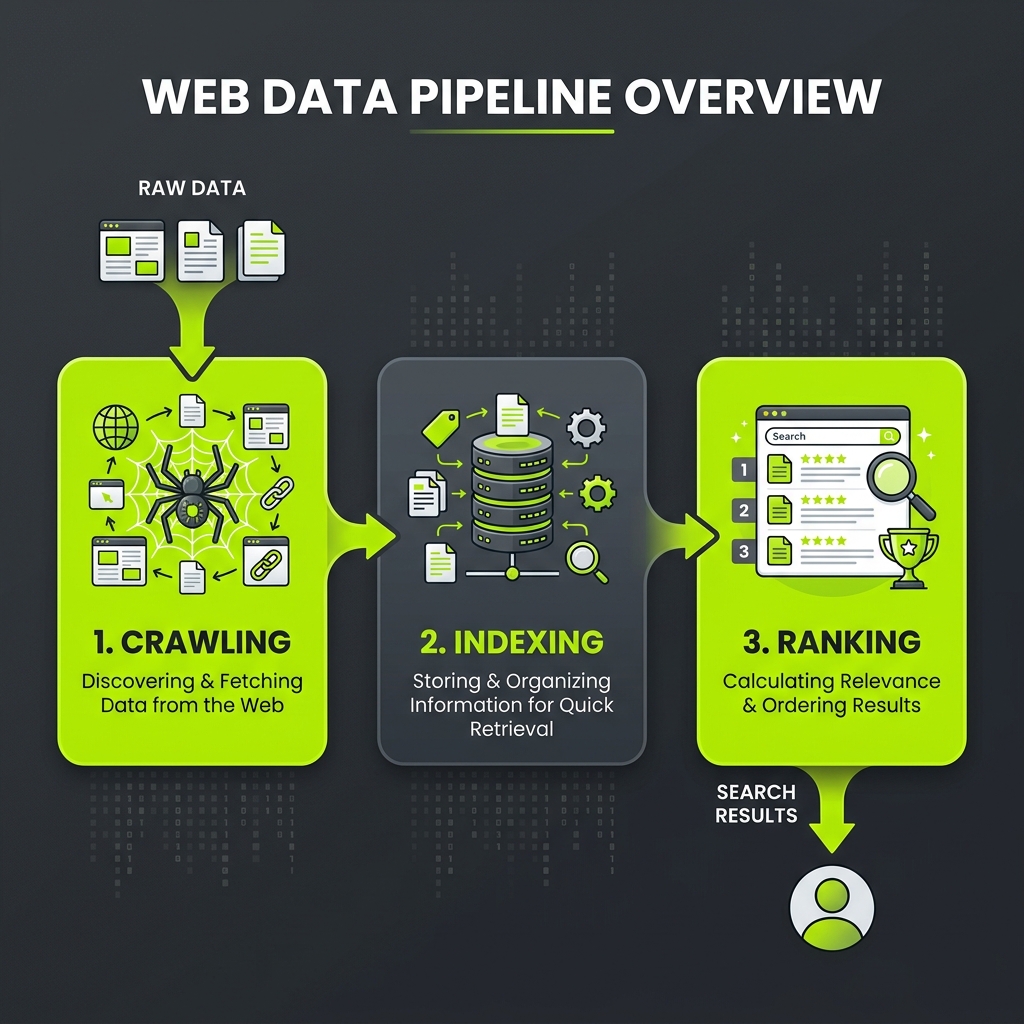
Imagine walking into a massive library. If every book was thrown into a giant pile in the center of the room, you would never find what you need. A good librarian organizes books into specific wings, aisles, and numbered shelves. Organizing your keywords into Topic Clusters is how you become the master librarian of your website, making it effortless for Google's crawler bots to understand, categorize, and rank your content.
Real-World Analogy
Think of your website as a university campus:
- The Homepage is the campus directory and map.
- The Pillar Pages are the Department Heads (e.g., The Department of Cyber Security).
- The Cluster Pages are the individual, highly specialized classes within that department (e.g., Network Defense 101, Ransomware Mitigation 201, Zero-Trust Architecture 301).
When a student (or a Google bot) visits and sees this highly organized, interconnected structure, they immediately trust the credibility and authority of the university.
A Modern 2026 Real Example
A SaaS company selling project management software had a blog with 150 different articles. They covered everything from "How to run a meeting" to "Best Agile frameworks" to "Time management tips." The content was great, but the articles were floating randomly with no structure. Their traffic had completely flatlined.
An SEO agency came in and executed a complete architecture overhaul. They grouped the existing articles into three rigid Topic Clusters: Agile Methodologies, Remote Team Management, and Productivity Frameworks.
They created three massive, authoritative "Pillar Pages" (e.g., "The Ultimate Guide to Agile Project Management"). Then, they systematically went through every single smaller blog post and added an internal link pointing back up to the relevant Pillar Page.
Without writing a single new word of content, their organic traffic grew by 140% in two months. Why? Because Google’s algorithm could finally understand the semantic relationship between the pages, passing "link equity" and topical authority throughout the entire cluster.
Technical Explanation: Topical Authority
Google's algorithm has evolved far beyond matching exact strings of keywords. With updates like Hummingbird, BERT, and the 2026 AI integration, Google understands "Entities" and semantics.
Google no longer wants to rank a website that just happens to have one good article on a topic; it wants to rank websites that demonstrate Topical Authority across the entire subject matter.
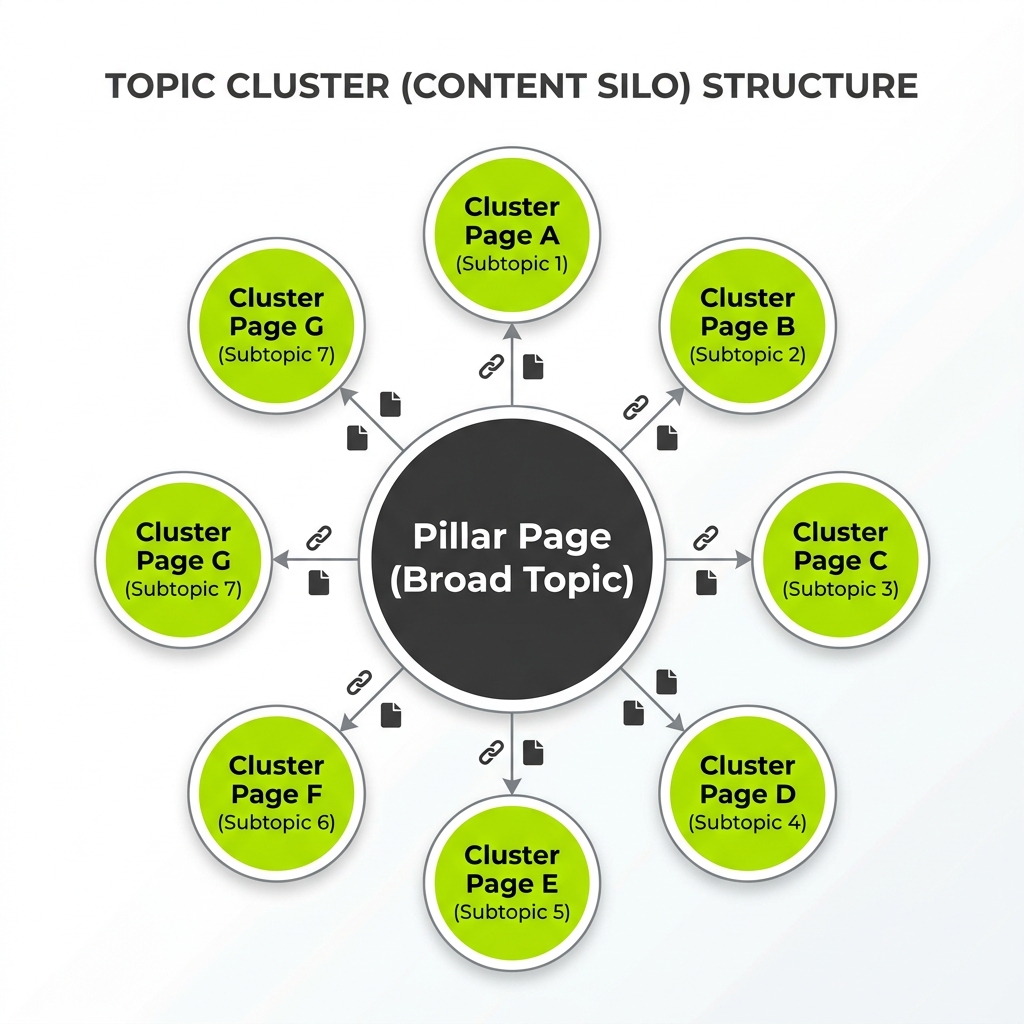
The Topic Cluster Model
- The Pillar Page: A broad, highly comprehensive page covering a core topic at a high level (e.g., "The Complete Guide to SEO"). It targets a high-volume, high-difficulty "Head Term."
- The Cluster Pages: 10 to 30 specific, long-tail pages that go incredibly deep into a single subtopic (e.g., "How to do Local Keyword Research"). They target lower-volume, low-difficulty terms.
- Internal Linking (The Glue): Every cluster page must include a hyper-relevant internal link pointing back up to the Pillar Page.
When one cluster page starts ranking, gaining traffic, and earning backlinks, that authority flows through the internal link directly up to the Pillar Page, lifting the rankings of the entire cluster simultaneously.
Step-by-Step Implementation
- Group by Parent Entity: Look at your massive keyword list. Sort the keywords into 3 to 5 broad "Parent Topics" (e.g., If you are a plumber, your parents are Plumbing, Heating, and Cooling).
- Assign the Pillar: For each parent group, identify the broadest, highest-volume keyword. This will become the title and URL of your massive Pillar Page.
- Assign the Clusters: Take all the long-tail questions, comparisons, cost breakdowns, and specific services related to that parent. These become your Cluster Pages.
- Map the Architecture: Open a spreadsheet and map every keyword to a specific planned URL. (e.g.,
domain.com/plumbingis the pillar;domain.com/plumbing/drain-cleaningis the cluster). - Plan the Internal Links: Document exactly how the pages will link to each other to form the silo.
Actionable Steps for 2026
- Build Content Hubs: Instead of relying purely on text links in the body of an article, build visual "Content Hubs." The Pillar Page should act as a beautiful directory, with card grids linking out to all the cluster pages. This drastically improves user UX and time-on-page metrics, which are critical ranking factors in 2026.
- Prune and Redirect: As you organize your strategy, you will find old blog posts that are useless, outdated, or cannibalizing your new clusters. Do not keep them. Redirect (301) them to the new, highly optimized cluster pages to consolidate their historical authority.
- Semantic Proximity: When linking from a cluster page to a pillar page, ensure the anchor text and the surrounding paragraph semantically describe the relationship between the two entities.
Common Mistakes
- Keyword Cannibalization: This happens when you accidentally create two different pages targeting the exact same keyword intent (e.g., "SEO Tips" and "SEO Best Practices"). Google gets confused about which one to rank, so it suppresses both. Grouping keywords into a map prevents this before you even write a word.
- Orphan Pages: Creating an amazing cluster page but forgetting to internally link it to the rest of the site. If a page has no links pointing to it, Google's crawlers can't find it, and users can't navigate to it.
- Overlapping Clusters: Creating categories that are too semantically similar (e.g., a "Fitness" cluster and a "Working Out" cluster). Keep your silos distinct and mathematically separated.
Checklist
- I have grouped my entire raw keyword list into 3-5 distinct Core Topics.
- I have designated one broad, comprehensive Pillar Page for each Core Topic.
- I have mapped all long-tail keywords as Cluster Pages beneath their respective Pillar.
- I have ensured no two pages are targeting the exact same search intent (Cannibalization check).
- I have planned a strict internal linking structure connecting the clusters to the pillars.
Practical Exercise
- Open a blank spreadsheet.
- Create 3 columns: "Pillar Topic", "Cluster URL", and "Primary Keyword".
- Think of the main overarching service you offer (e.g., "Commercial Painting"). Write that in the Pillar Topic.
- Now, brainstorm 5 sub-topics or specific questions related only to Commercial Painting (e.g., epoxy flooring, warehouse painting, cost per square foot). Fill out the Cluster URL and Keyword columns.
- You have just built your first SEO Content Silo map!
AI Prompt
Act as a Senior SEO Information Architect. I have a list of raw, unorganized keywords for my website. I need you to organize them into a modern "Topic Cluster" model.

First, identify 3-4 broad "Pillar Pages" from this list.
Second, group the remaining long-tail keywords underneath the appropriate pillar as "Cluster Pages".
Third, identify any keywords that seem to have overlapping intent (Keyword Cannibalization risk) and suggest merging them.

Present the final architecture in a clean, hierarchical markdown list.

Here are the keywords:
[Paste your list of keywords]